
Pylon
使用 Pylon 构建 GraphQL API 简单直接。Pylon 是基于 Hono 构建的后端框架,支持代码优先的 GraphQL API 开发。
GraphQL 模式根据 TypeScript 定义实时生成,让你只需专注编写服务逻辑。这种方式显著提高开发速度,增强类型安全性,并减少错误。
代码中的任何破坏性变更都会立即反映到 API 中,便于你即时观察变更对功能的影响。
有关更多信息,请查看 Pylon。
创建新的 Pylon 服务
Pylon 支持使用 npm create pylon 命令创建新服务。此命令会创建一个包含基础项目结构和配置的新 Pylon 项目。 配置过程中,可以选择你喜欢的运行时,例如 Bun、Node.js 或 Cloudflare Workers。
本指南使用 Bun 运行时。
创建新项目
运行以下命令创建新的 Pylon 项目:
npm create pylon my-pylon@latest这会创建名为 my-pylon 的新目录,其中包含基本的 Pylon 项目结构。
项目结构
Pylon 项目结构如下:
my-pylon/
├── .pylon/
├── src/
│   ├── index.ts
├── package.json
├── tsconfig.json.pylon/:包含项目的生产构建产物。src/:包含项目源代码。src/index.ts:Pylon 服务的入口。package.json:npm 包配置文件。tsconfig.json:TypeScript 配置文件。
基础示例
以下是一个基本 Pylon 服务的示例:
import { app } from '@getcronit/pylon'

export const graphql = {
  Query: {
    sum: (a: number, b: number) => a + b,
  },
  Mutation: {
    divide: (a: number, b: number) => a / b,
  },
}

export default app
保护 API
Pylon 集成了云原生身份与访问管理方案 ZITADEL,为 API 提供安全的身份验证和授权。按照 ZITADEL 文档中的步骤,即可轻松保护 Pylon API。
创建更复杂的 API
Pylon 的实时模式生成功能支持创建更复杂的 API。有关支持的 TypeScript 类型以及如何定义 API,请参阅 Pylon 文档。
本示例展示如何在 Pylon 中定义复杂类型和服务。使用 TypeScript 类和方法,可以创建与数据库、外部服务和其他资源交互的强大 API。
import { app } from '@getcronit/pylon'

class Post {
  id: string
  title: string

  constructor(id: string, title: string) {
    this.id = id
    this.title = title
  }
}

class User {
  id: string
  name: string

  constructor(id: string, name: string) {
    this.id = id
    this.name = name
  }

  static async getById(id: string): Promise<User> {
    // Fetch user data from the database
    return new User(id, 'John Doe')
  }

  async posts(): Promise<Post[]> {
    // Fetch posts for this user from the database
    return [new Post('1', 'Hello, world!')]
  }

  async $createPost(title: string, content: string): Promise<Post> {
    // Create a new post for this user in the database
    return new Post('2', title)
  }
}

export const graphql = {
  Query: {
    user: User.getById,
  },
  Mutation: {
    createPost: (userId: string, title: string, content: string) => {
      const user = User.getById(userId)
      return user.$createPost(title, content)
    },
  },
}

export default app
调用 API
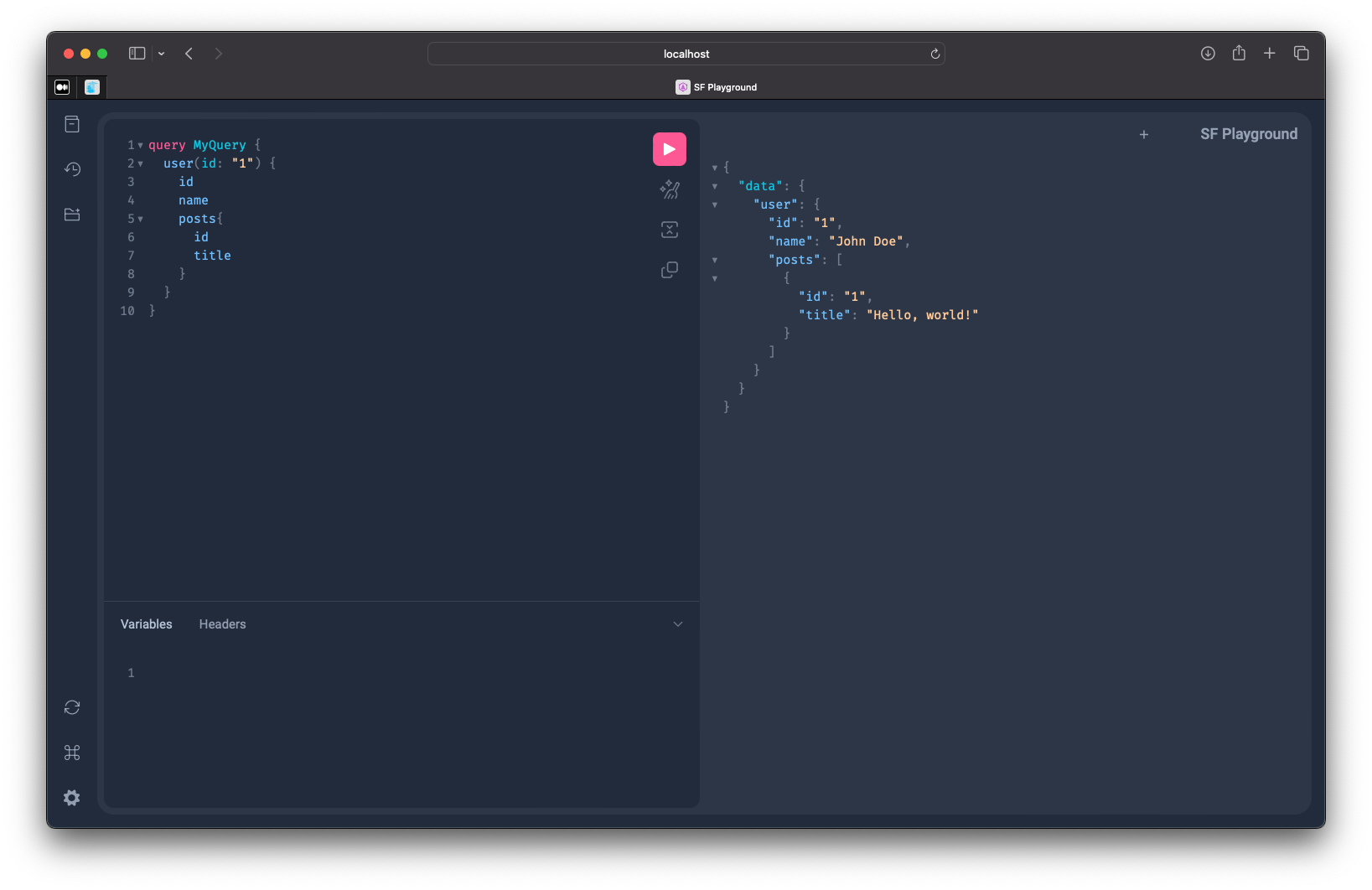
可以使用任意 GraphQL 客户端库调用 Pylon API。开发时推荐使用 Pylon Playground,它是基于 Web 的 GraphQL IDE,可以实时与 API 交互。
- 在项目目录运行
bun run dev,启动 Pylon 服务器。 - 在浏览器中访问
http://localhost:3000/graphql,打开 Pylon Playground。 - 在左侧面板编写 GraphQL 查询或变更操作。
访问 Hono 上下文
可以使用 getContext 函数,在代码任意位置访问 Hono 上下文。此函数返回当前上下文对象,其中包含请求、响应和其他上下文相关数据。
import { app, getContext } from '@getcronit/pylon'

export const graphql = {
  Query: {
    hello: () => {
      const context = getContext()
      return `Hello, ${context.req.headers.get('user-agent')}`
    },
  },
}

export default app
有关 Hono 上下文对象及其属性的更多信息,请参阅 Hono 文档和 Pylon 文档。
Hono 在其中起什么作用?
Pylon 基于 Hono 构建。Hono 是用于构建 Web 应用和 API 的轻量 Web 框架,提供处理 HTTP 请求和响应的核心功能;Pylon 在此基础上扩展了对 GraphQL API 开发的支持。
除了 GraphQL,Pylon 还支持访问底层 Hono 应用实例,以添加自定义路由和中间件。这让你能充分利用 Hono 的功能,构建更复杂的 API 和服务。
import { app } from '@getcronit/pylon'

export const graphql = {
  Query: {
    sum: (a: number, b: number) => a + b,
  },
  Mutation: {
    divide: (a: number, b: number) => a / b,
  },
}

// Add a custom route to the Pylon app
app.get('/hello', (ctx, next) => {
  return new Response('Hello, world!')
})
结语
Pylon 是简化 GraphQL API 开发的强大 Web 框架。它根据 TypeScript 类型定义实时生成模式,增强类型安全性并减少错误。使用 Pylon,可以快速构建满足业务需求的安全、可扩展 API。Pylon 与 Hono 的集成,让你可以在专注 GraphQL API 开发的同时使用 Hono 的全部功能。
有关 Pylon 的更多信息,请查看官方文档。