css 辅助工具
CSS 辅助工具 hono/css 是 Hono 内置的 CSS in JS(X) 功能。
可以在 JSX 中通过名为 css 的 JavaScript 模板字面量编写 CSS。css 的返回值是类名,用作 class 属性的值。<Style /> 组件则包含 CSS 的内容。
导入
import { Hono } from 'hono'
import { css, cx, keyframes, Style, createCssContext } from 'hono/css'
css Experimental
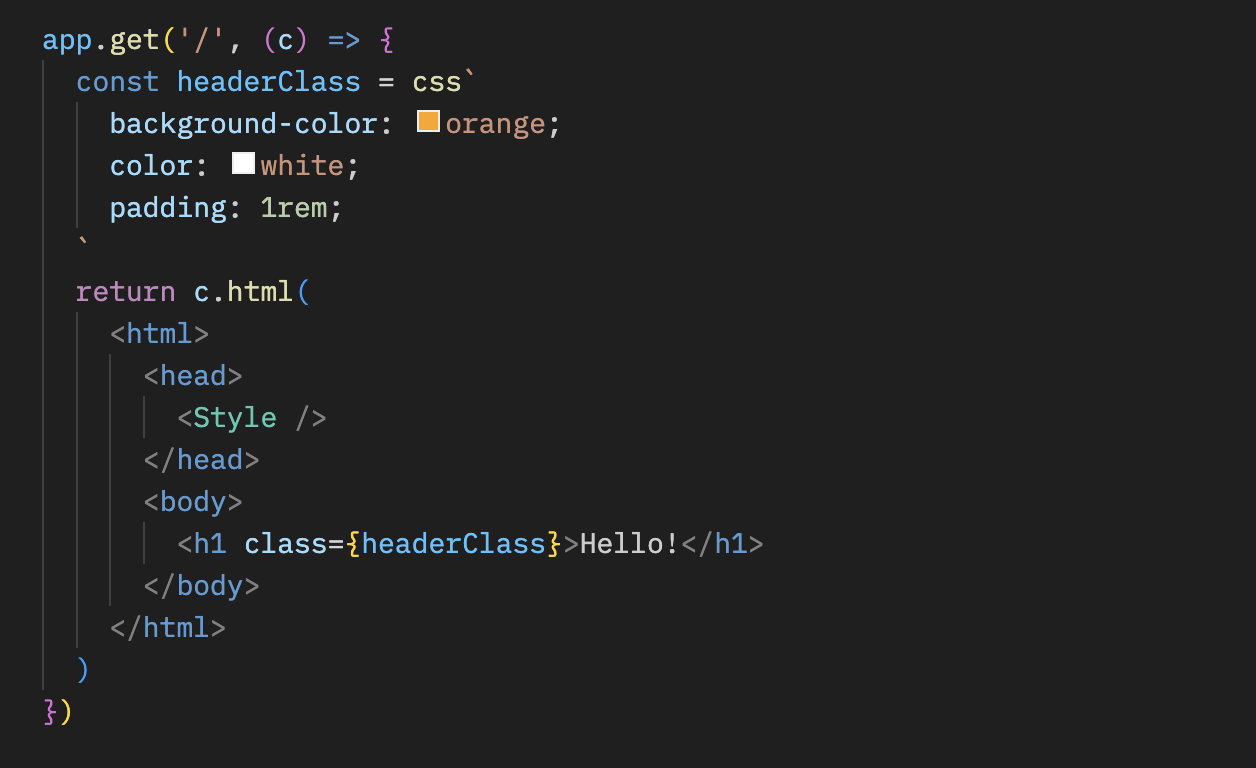
可以在 css 模板字面量中编写 CSS。此例中使用 headerClass 作为 class 属性的值。不要忘记添加 <Style />,因为它包含 CSS 内容。
app.get('/', (c) => {
  const headerClass = css`
    background-color: orange;
    color: white;
    padding: 1rem;
  `
  return c.html(
    <html>
      <head>
        <Style />
      </head>
      <body>
        <h1 class={headerClass}>Hello!</h1>
      </body>
    </html>
  )
})可以通过嵌套选择器 & 为 :hover 等伪类设置样式:
const buttonClass = css`
  background-color: #fff;
  &:hover {
    background-color: red;
  }
`
扩展
可以通过嵌入类名扩展 CSS 定义。
const baseClass = css`
  color: white;
  background-color: blue;
`

const header1Class = css`
  ${baseClass}
  font-size: 3rem;
`

const header2Class = css`
  ${baseClass}
  font-size: 2rem;
`此外,${baseClass} {} 语法支持类的嵌套。
const headerClass = css`
  color: white;
  background-color: blue;
`
const containerClass = css`
  ${headerClass} {
    h1 {
      font-size: 3rem;
    }
  }
`
return c.render(
  <div class={containerClass}>
    <header class={headerClass}>
      <h1>Hello!</h1>
    </header>
  </div>
)
全局样式
名为 :-hono-global 的伪选择器允许定义全局样式。
const globalClass = css`
  :-hono-global {
    html {
      font-family: Arial, Helvetica, sans-serif;
    }
  }
`

return c.render(
  <div class={globalClass}>
    <h1>Hello!</h1>
    <p>Today is a good day.</p>
  </div>
)
也可以使用 css 字面量在 <Style /> 组件中编写 CSS。
export const renderer = jsxRenderer(({ children, title }) => {
  return (
    <html>
      <head>
        <Style>{css`
          html {
            font-family: Arial, Helvetica, sans-serif;
          }
        `}</Style>
        <title>{title}</title>
      </head>
      <body>
        <div>{children}</div>
      </body>
    </html>
  )
})
keyframes Experimental
可以使用 keyframes 编写 @keyframes 的内容。此例中,fadeInAnimation 是动画名称。
const fadeInAnimation = keyframes`
  from {
    opacity: 0;
  }
  to {
    opacity: 1;
  }
`
const headerClass = css`
  animation-name: ${fadeInAnimation};
  animation-duration: 2s;
`
const Header = () => <a class={headerClass}>Hello!</a>
cx Experimental
cx 用于组合两个类名。
const buttonClass = css`
  border-radius: 10px;
`
const primaryClass = css`
  background: orange;
`
const Button = () => (
  <a class={cx(buttonClass, primaryClass)}>Click!</a>
)
它也能组合普通字符串。
const Header = () => <a class={cx('h1', primaryClass)}>Hi</a>与 Secure Headers 中间件配合使用
如果需要将 CSS 辅助工具与 Secure Headers 中间件配合使用,可以在 <Style nonce={c.get('secureHeadersNonce')} /> 上添加 nonce 属性,避免 CSS 辅助工具引发内容安全策略限制。
import { secureHeaders, NONCE } from 'hono/secure-headers'

app.get(
  '*',
  secureHeaders({
    contentSecurityPolicy: {
      // Set the pre-defined nonce value to `styleSrc`:
      styleSrc: [NONCE],
    },
  })
)

app.get('/', (c) => {
  const headerClass = css`
    background-color: orange;
    color: white;
    padding: 1rem;
  `
  return c.html(
    <html>
      <head>
        {/* Set the `nonce` attribute on the CSS helpers `style` and `script` elements */}
        <Style nonce={c.get('secureHeadersNonce')} />
      </head>
      <body>
        <h1 class={headerClass}>Hello!</h1>
      </body>
    </html>
  )
})
createCssContext Experimental
createCssContext 创建使用自定义上下文的 CSS 辅助函数(css、cx、keyframes、viewTransition、Style)。可以通过它自定义样式元素的 ID 和生成的类名。
import { createCssContext } from 'hono/css'

const { css, cx, keyframes, Style } = createCssContext({
  id: 'my-app',
})
classNameSlug
默认情况下,CSS 类名按 css-1234567890 格式生成。传入 classNameSlug 函数即可自定义。
此函数接收三个参数:
hash- 默认生成的类名(如css-1234567890)label- 从 CSS 模板开头的/* comment */提取的标签(没有注释时为空字符串)css- 压缩后的 CSS 字符串
const { css, Style } = createCssContext({
  id: 'my-styles',
  classNameSlug: (hash, label) => (label ? `h-${label}` : hash),
})

const heroClass = css`
  /* hero-section */
  background: blue;
`
// Generated class name: "h-hero-section"
onInvalidSlug
如果 classNameSlug 函数返回无效的 CSS 类名,默认会记录警告。可以通过 onInvalidSlug 自定义此行为。
const { css, Style } = createCssContext({
  id: 'my-styles',
  classNameSlug: (hash, label) => label || hash,
  onInvalidSlug: (slug) => {
    throw new Error(`Invalid CSS class name: ${slug}`)
  },
})
安全性
CSS 辅助工具是 CSS 编写 API:与其他 CSS-in-JS 库一样,插值内容会作为原始 CSS 插入。它会阻止内容突破到 HTML 中(过滤引号、反斜杠和 </),但允许 {、} 和 ;,因为它们是合法的 CSS 字符。
注意
请像对待其他原始输出接口(html、raw、rawCssString)一样使用 CSS 辅助工具:不要直接传入不可信的输入。 这样做会导致 CSS 注入。请先根据允许列表进行验证。
const ALLOWED_COLORS = ['red', 'green', 'blue']
const color = ALLOWED_COLORS.includes(input) ? input : 'black'
const headerClass = css`
  color: ${color};
`
提示
如果使用 VS Code,可以安装 vscode-styled-components,为 CSS 标签模板字面量启用语法高亮和 IntelliSense。